Christmas PFP
Style ideas
9 Christmas PFP Ideas from Your Own Photo
Compare nine Christmas PFP styles for people and pets: Santa hats, holiday portraits, hand-drawn art, felt toys, pixel art and gingerbread characters.
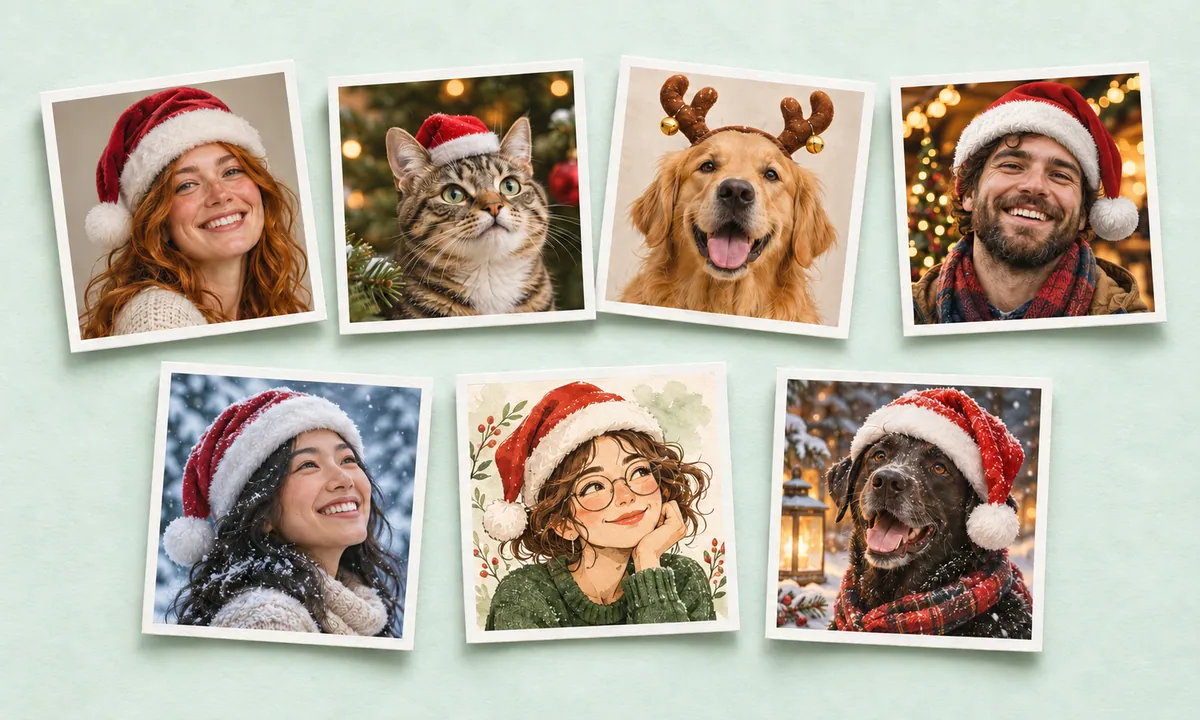
Start with a photo you already like: an expression friends recognize, glasses you wear every day, or a pet portrait with distinctive ears and markings. Then decide how much you want the picture to change.
The studio has nine looks for a person or a pet, grouped into three choices. Add a hat or antlers to your existing scene, create a holiday portrait, or become an illustrated, felt, pixel or gingerbread character. Choose Person or Pet first so the edit fits the subject.
The examples below use the same fictional person so you can compare the effects. The studio also shows the original example and a separate set of pet examples. AI can alter facial details and animal markings; compare your own result with your photo before sharing.
Choose the amount of change
| Type | Looks | What changes |
|---|---|---|
| Add a little Christmas | Santa hat, plush antlers | A headpiece; the original clothes and setting are asked to stay |
| Holiday portraits | Warm Christmas tree, blue snowy woodland, red & green studio | The setting and light, without adding a hat |
| Creative characters | Hand-drawn Christmas, felt toy, retro pixel, gingerbread | The visual style changes substantially while recognizable features guide the result |
A small accessory still uses AI image editing; it is not a guarantee of pixel-identical surroundings. All nine looks cost 5 credits for one new image. Browsing examples and adjusting a finished crop use no extra credits.
Nine Christmas profile picture ideas
1. Santa hat for an everyday portrait

A red hat is a straightforward seasonal detail when you already like your photo. Leave room above the hairline and beside the head for the pompom. In Pet mode, the hat is smaller to leave more room for ears.
Check the brim against eyebrows and glasses. The Santa hat photo guide explains which source photos give it space.
2. Plush antlers for a playful headpiece

Soft brown antlers add height without changing the whole setting. A loosely framed head-and-shoulders photo gives the headband and tips room.
Check both tips inside the circle preview. For animals, look at the ear outline and markings around the headband; see the pet photo guide.
For a closer look at the band, hair and ear outlines, see the reindeer antlers photo guide.
3. Warm Christmas tree for a holiday portrait

Soft golden lights and an evergreen tree create a warm indoor portrait. This look does not add a Santa hat, so the face and expression can stay the main focus.
You do not need a tree in the source photo. Use a sharply focused subject and inspect the result at the small size used in a chat list.
4. Blue snowy woodland for a winter look

Cool blue light and snowy trees offer a quieter alternative to warm tree lights. The scene changes, but no new hat is requested.
An even light on the original face helps. Check that snow and background detail leave the eyes and mouth clear.
5. Red & green studio for a simple background

A restrained festive studio setting works when you want fewer scene details around the face. It uses holiday color without a new headpiece.
Compare the outline of the hair or ears against the background. Keep enough contrast for a profile icon to remain readable.
6. Hand-drawn Christmas for an illustrated avatar
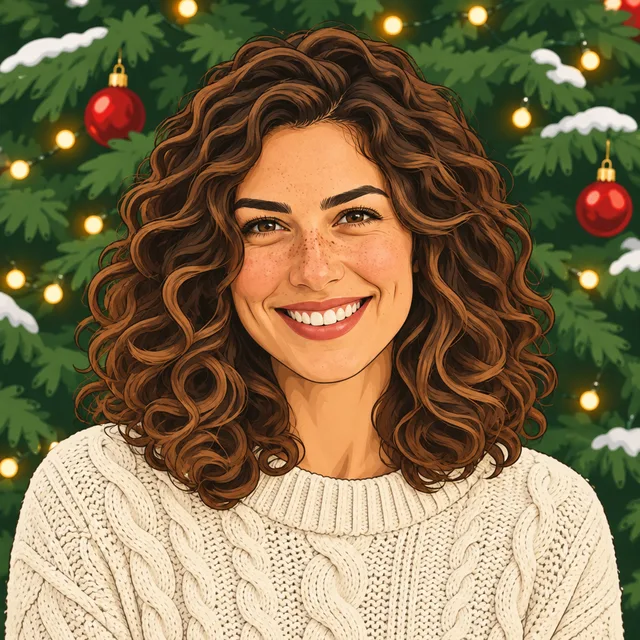
Warm lines and gentle shading turn your photo into an original illustrated character. Hair, glasses and a familiar expression are useful details for the drawing to retain.
An illustrated face will differ from a photograph. Look for the features that make the character recognizable rather than photographic skin texture.
7. Felt toy for a handmade character
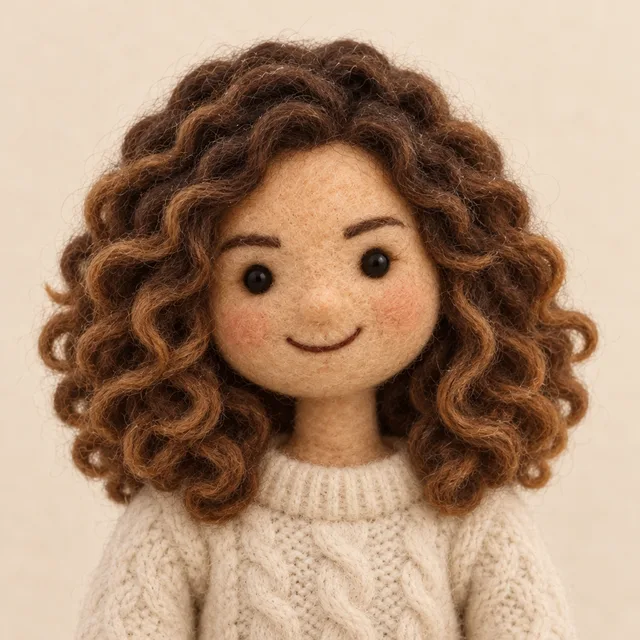
Soft wool fibers and rounded shapes create a little felt version of the subject. The simple warm background leaves room for the handmade texture.
Distinctive hair, glasses, ear shapes or fur markings help the character feel specific. Check the outline at a small avatar size.
8. Retro pixel for a crisp graphic look

A limited festive palette and square pixels simplify the photo into a compact character. This is a deliberately stylized transformation.
Choose a photo with an easy-to-read silhouette. Small facial details may disappear, so compare hair, glasses and the overall expression.
9. Gingerbread for a playful holiday character
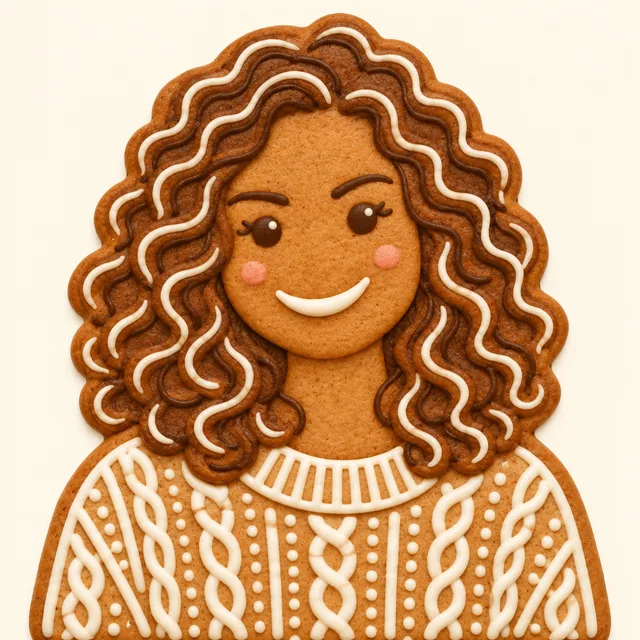
Golden cookie texture and icing reinterpret the subject as a gingerbread character. Hair, glasses, clothing colors or pet markings inspire the decoration.
Expect a substantial change in appearance. This is a creative character, not a photorealistic portrait with a filter.
Use the same looks for a pet
Choose Pet in the studio before selecting a look. The prompt adapts the headpiece and recognizable details to the animal, including ears, whiskers and individual markings. Keep the whole head visible and avoid photos with several animals. For two separate pet avatars, generate each one independently in the same style.
Keep a whole group together
For a couple, family, friends or team already in one photo, use the Christmas group photo editor. It offers four coordinated outfits, with clothes-only, accessories-only and complete-outfit choices. It returns one complete horizontal or vertical photo instead of squeezing everyone into a square avatar.
If you want two separate profile pictures, follow the matching Christmas PFP guide. That workflow still uses two individual generations.
Check your framing before sharing
After uploading a portrait or pet photo, drag and zoom to adjust the framing, or use the position controls. Fit whole photo brings the full image back into view. After generation, you can also adjust the downloaded crop without spending more credits.
Compare the original and result, then switch between square and circle previews. Check eyes, glasses, ear tips and any new headpiece. A circle PNG has transparent corners; keep a square copy if you want more freedom to crop later. Download the results you want to keep within 30 days.
For TikTok, the static profile photo guide follows the documented upload route and explains what to check after saving your chosen picture.
Open the photo studio, read the photo preparation guide, or review the one-time credit pack before generating.
For a closer comparison of the original face and its illustrated treatment, see the Christmas cartoon PFP guide.
Once you have picked a style, the Facebook Christmas profile picture guide explains how to prepare the file and follow Facebook’s documented personal-profile upload route.
For the photographic settings, the Christmas PFP backgrounds guide compares an original-scene hat, warm tree lights and snowy woodland from the same source.