Christmas PFP
Christmas Profile Pictures for Facebook from Your Own Photo
Use your own Christmas photo as a Facebook profile picture. Follow official upload guidance, check the crop and keep your everyday avatar for later.
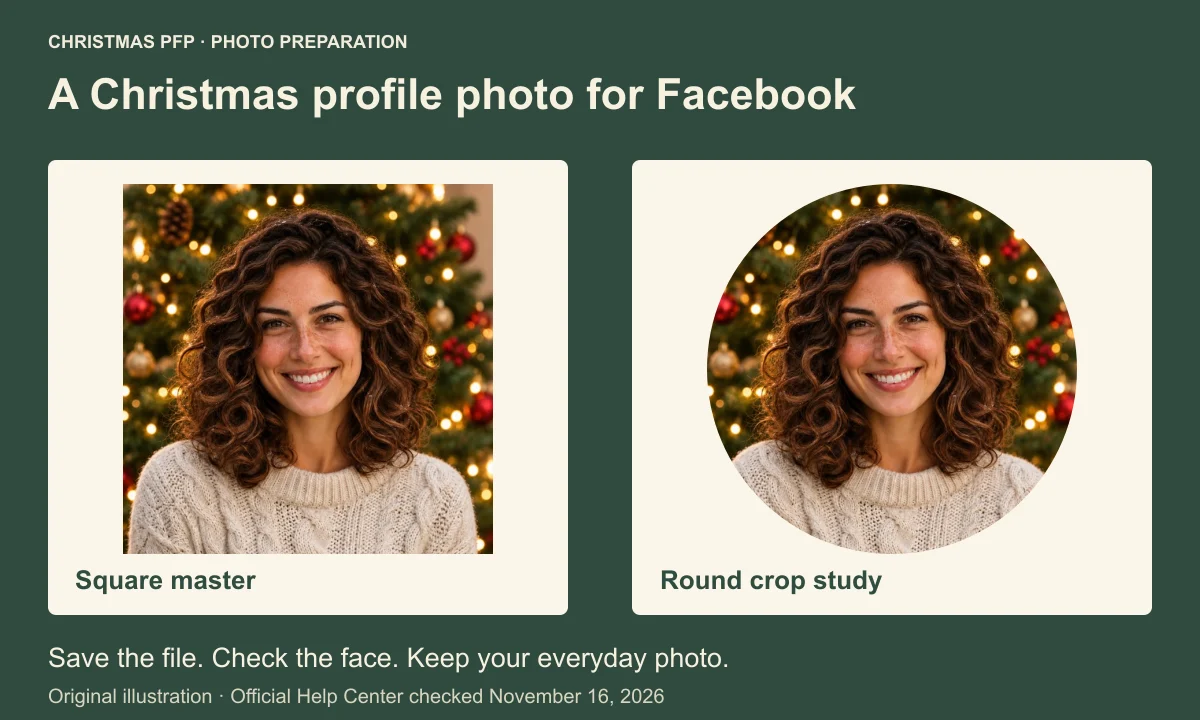
A Christmas profile picture for Facebook should still look like you beside a comment. Choose the seasonal photo, keep a copy of your everyday avatar, then check the face in the final thumbnail before saving.
This guide follows Facebook's official Computer Help, checked on November 16, 2026. We could read the current documentation, but did not test a signed-in Facebook account. The preparation illustrations use a fictional person and an actual Christmas PFP output. They are original diagrams, not Facebook screenshots.
Choose a personal profile photo
Your personal profile picture is the image associated with your name. The wide cover photo has a different position and needs its own composition. A Facebook frame is another option within Facebook. Christmas PFP gives you an ordinary downloadable image file; it does not install a native Facebook frame.
For a recognizable Christmas Facebook avatar photo, keep the face large enough to see without crowding the hair. The sample below has curly hair and warm tree lights. The lights establish the season while the face remains the part you can recognize at a smaller size.
If you are choosing between a small Santa hat and a more complete holiday portrait, compare the Christmas PFP style ideas before generating. Pick a treatment you would be happy to use beside your everyday posts.
Prepare a square master and keep the old picture
Save your current avatar to a folder you can find again. Give the Christmas file a different name, such as christmas-avatar-2026-square.png. Keeping both files makes a manual change back possible without searching through old messages or downloading a small thumbnail.
The example here starts from a 1024 by 1024 pixel square PNG downloaded from Christmas PFP. That is the file used for this illustration, not a Facebook upload requirement. Start with the saved master when uploading. Repeated screenshots and cropped previews give you less of the original image to work with.
Leave room around the hair and above the head. A square can contain corners that disappear from a round thumbnail. Before uploading, inspect the circle crop and safe area guide if a hat tip or the outer curls are close to the edge.
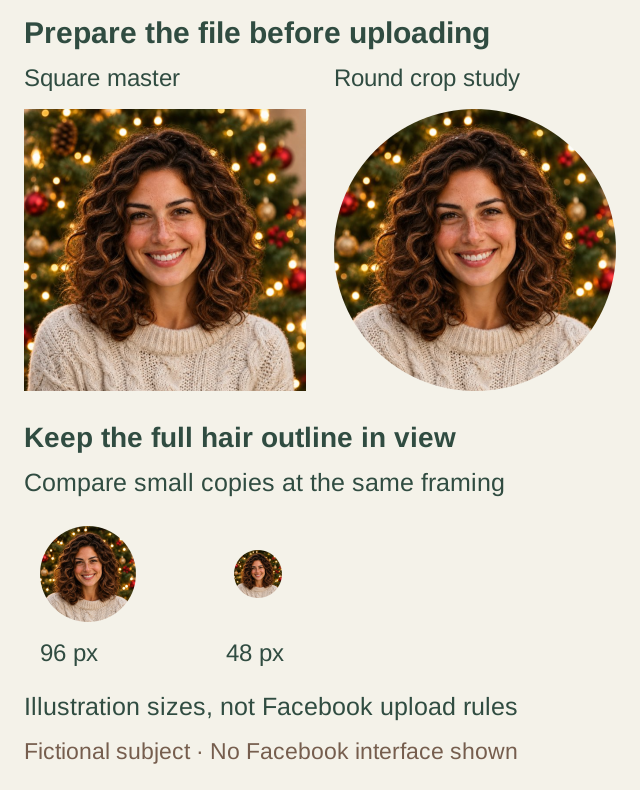
Original image-preparation illustration using an actual saved studio output. The comparison sizes are chosen for this guide. No Facebook account interface is pictured.
Change your Facebook profile picture
Facebook's official upload instructions describe this personal-profile route on a computer.
- Open the profile menu at the top right and select your profile name.
- Select the camera control at the lower right of your profile picture.
- Upload the saved Christmas photo, or choose an existing image.
- Follow the displayed instructions and review the result before saving.
The same help page also documents an Accounts Center route. Open Settings & privacy, then Settings. Choose See more in Accounts Center, open Profiles, and select the intended profile. Under Profile picture, choose Upload new photo and finish the displayed steps.
Meta says account settings are moving gradually, so some people may see Meta Account settings instead. Meta Verified subscribers have separate instructions. On a phone, select the iPhone or Android tab in Facebook's help article for that app's route. Check the account name before saving, particularly when you manage several profiles.
Check the thumbnail beside your name
Open your profile after saving and look at the new image. Then inspect its smaller appearance beside your name. Facial details can be clear in a large preview while the small version gives most of its space to lights or clothing.
Facebook's thumbnail guide describes an Edit Thumbnail control with scale and position adjustments. Use the available controls to keep both eyes, the mouth and the important hair outline visible. Review the new crop before saving it.
Our diagram shows the same square at two round comparison sizes. Those sizes are an editorial check, not measurements of Facebook's interface. In the smaller sample, the broad curls remain more visible than the individual sweater stitches. That gives you a useful order for checking your own file.
Review public visibility separately from the update post
Facebook includes your profile picture and cover photo in its public profile information. Choose an image you are comfortable making public. A festive photo containing another person deserves their agreement before it becomes your account picture.
Treat any post announcing the change as a separate item. Read the audience and sharing controls on your screen, then check the saved post if one appears. Restricting that post's audience does not make your current profile photo private. Likewise, an absence of a new post is not evidence that the avatar is hidden.
Plan the change back after Christmas
Facebook documents a temporary profile picture option, including choosing when a previous picture returns. We have not verified that option inside an account, so this guide does not give a tested sequence or promise any particular duration. Use the option only if your own screen offers it, and read the selected return setting before saving.
The same official article says an expired temporary photo remains in the profile pictures album. An expiry changes the active avatar; it does not by itself remove that seasonal photo from the album.
Keeping your everyday file gives you another route. After the holiday, use the normal change-picture flow to select that file again. Set your own reminder if you want a particular day, and check the active image after the change.
If an upload fails, Facebook recommends checking the connection, refreshing the page or using the latest app version.
Official Facebook help used for this guide
- Add or change a personal profile picture
- Edit a profile picture thumbnail
- Public information on Facebook
- Temporary profile pictures
When you are ready for the seasonal image, make your Christmas profile photo, save the square master and review the small face before replacing your avatar.